

.avif)

.avif)
Finding the best apps for Samsung Smart TV can feel like a chore. I tried out many options on my own Samsung set, and these 7 are the ones I actually kept using.
Best Apps for Samsung Smart TV: TL;DR
1. Weekend
What it does: Weekend turns your Samsung TV into a voice-controlled game console with Jeopardy!, Song Quiz, and more.
Who it’s for: Households that want fast party games that anyone can play with just the remote.
When I installed Weekend, game night became as simple as picking a title and talking to the TV. We now run quick Jeopardy! games before bed or fire up Song Quiz when friends visit.
Key features
- Weekend brings Jeopardy!, Song Quiz, and CoComelon: Sing and Play with JJ to Samsung TVs through Gaming Hub.
- You control everything with your remote mic or paired smartphone, so you avoid extra hardware.
- Weekend runs on recent Samsung Smart TVs that include the Samsung Gaming Hub.
Pros
- Weekend supports classic brands that people already trust and love.
- The games feel social, so everyone in the room joins in.
- Voice control keeps the setup very light for non-gamers.
Cons
- Weekend focuses on quiz-style and music games, not action titles.
- Older Samsung TVs that lack the Gaming Hub cannot install it.
Pricing
Weekend offers a 7-day free trial to the full library. For continued use, sign up for the $12.99/month subscription (all supported games included).
Bottom line
If you want the first app that makes your Samsung TV feel social, I suggest Weekend. I reach for it whenever I feel bored with plain streaming.
2. Netflix
What it does: Netflix streams series, movies, and documentaries with one of the widest catalogs.
Who it’s for: Viewers who like to binge shows and jump between genres in one place.
On my Samsung TV, Netflix still serves as the default streaming app when I just want to relax and let the autoplay handle the evening.
Key features
- Netflix offers a huge mix of originals and licensed titles.
- You can create profiles for each person in your home.
- The app runs on all recent Samsung Smart TVs.
Pros
- The catalog feels deep and always gives me something to watch.
- Recommendations work well once I watch a few episodes.
Cons
- Prices have climbed for premium plans with higher quality.
- Some shows rotate off the service and leave gaps.
Pricing
The cheapest plan costs about $8 per month with ads. The top tier reaches about $25 per month.
Bottom line
Netflix stays in my top row because it covers everyday watching so well, even if it does not change how I use the TV the way Weekend does.
3. Disney+
What it does: Disney+ collects Marvel, Star Wars, Pixar, and classic Disney content.
Who it’s for: Families, fans of big franchises, and anyone who rewatches animated movies.
On my Samsung TV, Disney+ usually runs on weekend mornings and family movie nights, when comfort viewing matters more than discovery.
Key features
- You get Marvel series, Star Wars shows and Pixar films in one app.
- The app supports 4K HDR on compatible TVs.
- Samsung lists clear instructions for Disney+ on its support pages.
Pros
- Kids’ profiles make it simple to keep content age-appropriate.
- The brand mix fits family viewing very well.
Cons
- If you do not care about these franchises, the library feels narrow.
- Regional rights can limit some titles.
Pricing
The Disney and Hulu bundle starts around $13 per month with ads and about $20 ad free.
Bottom line
If your home loves Marvel or Star Wars, Disney+ feels essential on a Samsung Smart TV. If not, I see it as a strong extra rather than a core app.
{{cta-karaoke}}
4. Prime Video
What it does: Prime Video offers titles for rent and channels that sit inside one app.
Who it’s for: Viewers who already use Prime or want a bit of everything without many separate apps.
I use Prime Video when I cannot find a film on Netflix or when I feel like browsing a slightly weirder mix of shows and movies.
Key features
- Prime Video offers originals, licensed titles and paid rentals.
- The app hooks into the broader Amazon ecosystem.
- Samsung Smart TVs list Prime Video in the main app store.
Pros
- Prime members often get it at no extra streaming cost.
- The library has many international and niche picks.
Cons
- The interface feels busy with upsell tiles and ads.
- It can be hard to tell what comes with the plan
Pricing
Prime Video on its own starts at about $9 per month. It also sits inside full Prime plans at higher prices.
Bottom line
Prime Video makes sense if you already live in the Amazon world. For me, it plays a support role while Weekend, Netflix, and Disney+ take center stage.
5. Samsung TV Plus
What it does: Samsung TV Plus offers free live and on-demand channels to Samsung device owners.
Who it’s for: Anyone who misses flipping channels and wants free live content.
I often open Samsung TV Plus when I want something light in the background while I cook or clean. It feels like having basic cable without the bill.
Key features
- Samsung TV Plus runs as a free FAST service.
- It provides hundreds of live channels plus films and shows.
- It works on Samsung Smart TVs from 2016 onward.
Pros
- Does not need a login, card, or subscription.
- Pairs well with an antenna for local channels.
Cons
- You will not see the same lineup as paid cable.
- Ads appear during shows since it uses an ad model.
Pricing
Samsung TV Plus is completely free for compatible Samsung devices.
Bottom line
Samsung TV Plus serves as my backup when I want to watch something but do not want to think very hard about the choice.
6. YouTube
What it does: YouTube brings user videos, music clips, and streams to your Samsung TV.
Who it’s for: Viewers who like tutorials, vlogs, live music, and niche topics.
On my Samsung TV, YouTube handles workouts, how-to guides, and quick clips when I do not have time for a full episode.
Key features
- YouTube offers free viewing with a huge content range.
- Syncs subscriptions and history from your Google account.
- You can cast from your phone to the TV app.
Pros
- The app covers almost any topic you can think of.
- You can use it without paying if you accept ads.
Cons
- Video quality and accuracy vary by creator.
- Ads can feel frequent on long sessions.
Pricing
YouTube costs nothing with ads. YouTube Premium removes ads for a monthly fee that varies by region.
Bottom line
YouTube sits in my first row on Samsung because it fills gaps that no traditional streaming service covers.
7. Spotify
What it does: Spotify streams music and podcasts through your TV and sound system.
Who it’s for: People who already use Spotify and want playlists in the living room.
I like to put Spotify on my Samsung TV during dinner or when friends come over. It lets the TV act like a big speaker with a familiar app.
Key features
- Spotify offers playlists, albums, and podcasts on Samsung TVs.
- Supports free accounts and paid plans.
- You can control playback from your phone or laptop.
Pros
- Fits easily into homes that already use Spotify daily.
- Works great with soundbars and surround systems.
Cons
- Free accounts hear ads and face limits.
- The TV app feels slower to browse than mobile.
Pricing
Spotify provides a free ad-supported tier. Paid plans vary by country and include individual and family options.
Bottom line
Spotify rounds out my Samsung TV setup by handling music and podcasts while apps like Weekend and Netflix handle games and shows.
Which Samsung Smart TV app should you choose?
If you want active fun and people in the room talking, I suggest starting with Weekend on your Samsung Smart TV. Add Netflix or Disney+ for series and Samsung TV Plus and YouTube for free content that fills in the gaps.
Why Weekend works so well on Samsung Smart TVs
Weekend turns your Samsung Smart TV into a shared third place for everyone. Everyone comes together around one large screen instead of separate phones.
Our voice-interactive design keeps you talking and laughing with each other. In the spirit of competition, you'll spend less time pressing buttons and more time crushing your couch cohorts.
When people look for the best apps for Samsung Smart TV, Weekend stands out among the other juggernauts on this list. With us, you get to focus on shared play with friends and family while maintaining the party energy.
Weekend on Samsung TV allows you to:
- Have fun trying out your trivia knowledge in a few rounds of the classic game show Jeopardy!
- Play short clips in Song Quiz, which you'll try to identify before time runs out.
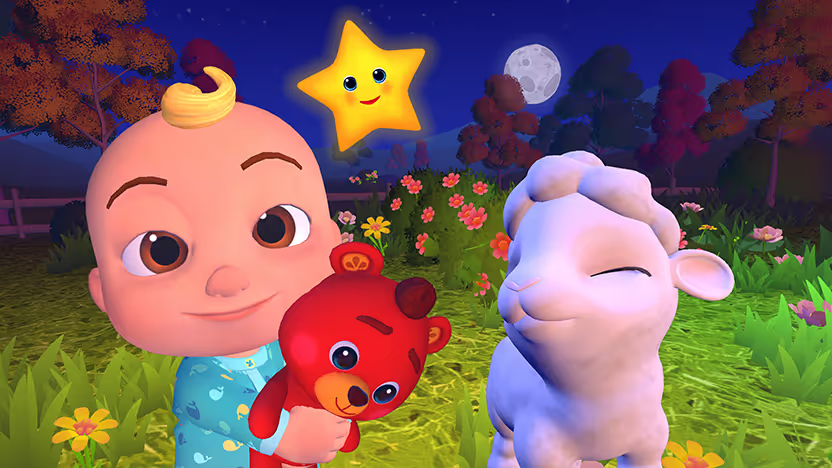
- Give younger players a friendly entry point to interactive TV with CoComelon: Sing and Play with JJ.
- Play Wit’s End and turn your TV into a voice-powered fantasy adventure with an AI game master that builds entire stories around you.
You'll find the Weekend app featured inside the Samsung Gaming Hub on supported TVs. You can try it out with a 7-day free trial right now.
FAQs
What is the best app for Samsung Smart TV overall?
The best app for Samsung Smart TV overall is Weekend if you want interactive entertainment. Netflix is also a solid pick if you mainly want streaming. Weekend brings top-tier trivia games like Jeopardy! and Song Quiz to your TV with voice controls.
Do I need extra hardware to play Weekend on Samsung TVs?
No, you don't need extra controllers to play Weekend on Samsung Smart TVs; the app uses your TV remote's microphone for voice input. Some features may optionally connect to your phone via QR code, but the core experience runs on the TV itself.
How do I get the Weekend app on my Samsung TV?
To get the Weekend app on your Samsung Smart TV, open the app store and search for “Weekend.” Install the app, launch it, then pick a title like Jeopardy! or Song Quiz and start answering out loud using your remote's mic.
What are the essential apps to install first on a new Samsung Smart TV?
For most users, the essential apps to install first on Samsung Smart TV are Weekend for interactive fun, Netflix or Disney+ for streaming, YouTube for free content, Samsung TV Plus for free live channels, and Spotify for music. This combination covers gaming, movies, shows, live TV, and audio right away.











.png)
%20(1).png)
%20(1).png)

Free for 7 days. Cancel anytime.


