

.avif)
.avif)

When searching for music games for kids, you probably want easy setups, real learning, and fewer meltdowns. My guide shares the 6 activities that work best in my house, and why CoComelon: Sing & Play with JJ on Weekend earns the top spot.
6 best music games for kids: At a glance
1. CoComelon: Sing & Play with JJ
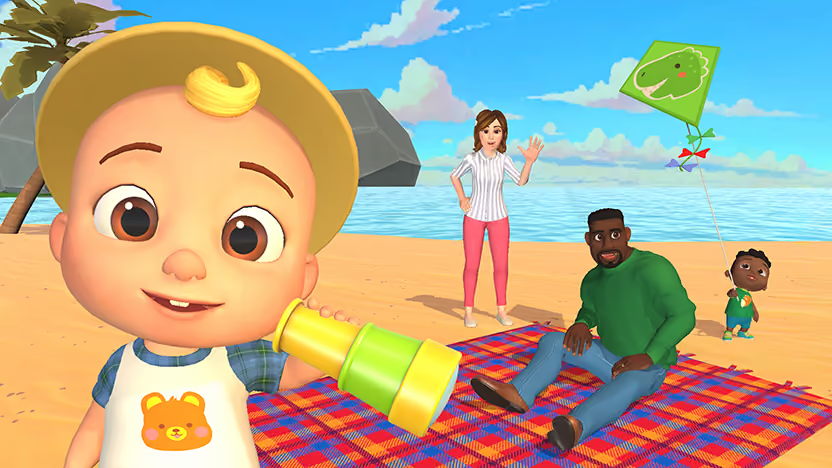
What it does: CoComelon: Sing & Play with JJ turns favorite CoComelon songs into interactive TV games that mix early learning with music and movement.
Who it’s for: Toddlers and preschoolers who love CoComelon games and need guided, short bursts of active time.
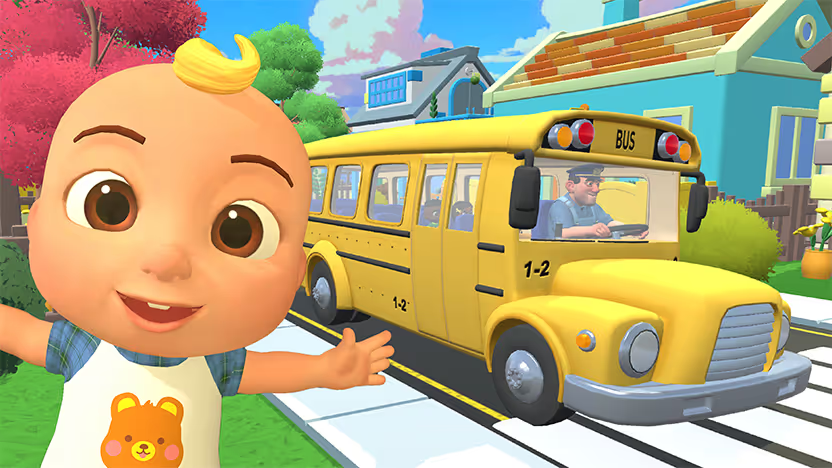
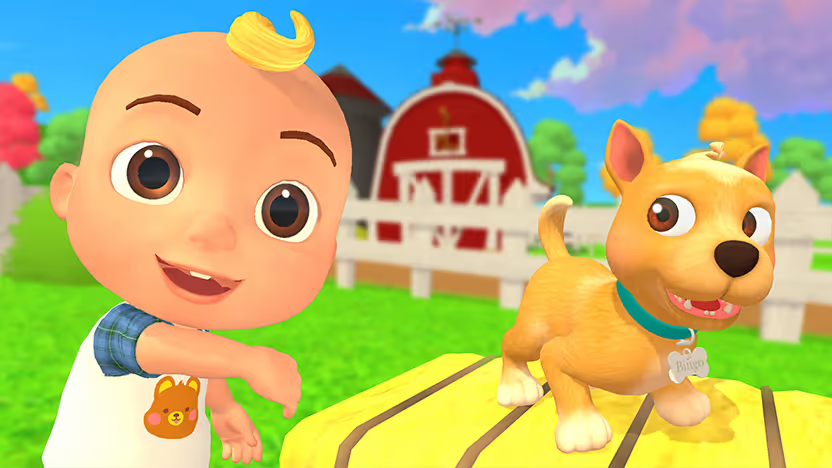
When I play CoComelon: Sing & Play with JJ, my child gets to tap, sing, and move with JJ on the big screen. Songs like Wheels on the Bus and BINGO work as a true interactive sing-along, with on-screen prompts that invite kids to join actions like the wheels, doors, and wipers while they sing.
Key features
- Wheels on the Bus sing-along invites kids to move, repeat simple actions, and stay engaged from verse to verse.
- Short mini-games keep attention spans happy and give me natural stopping points during the day.
- Familiar characters and songs create comfort, so shy kids join in more quickly.
Pros
- Kids stay active as they clap, point, and dance.
- Clear visual cues help little ones follow along even when they do not know all the words yet.
- The game fits nicely into short routines like pre-dinner or post-nap reset time.
Cons
- Older kids may age out once they move past the CoComelon phase and want harder challenges.
- You need a compatible TV or device that runs Weekend, which can limit use outside the living room.
Pricing
7-day free trial to the Weekend app (Fire TV, Samsung, LG); $12.99/month subscription if you choose to continue using the app.
Bottom line
If you want music games for kids at home that feel safe, familiar, and genuinely interactive, CoComelon: Sing & Play with JJ is where I start. Wheels on the Bus alone can carry a whole mini music session for toddlers.
{{cta-cocomelon}}
2. Song Quiz
What it does: Song Quiz turns your TV or smart speaker into a guess-that-song challenge using real music clips.
Who it’s for: School-age kids, tweens, and adults when you want a fast, light game everyone understands.
Song Quiz pulls music from multiple decades and genres, so grandparents, teens, and preschoolers can all have “their round.” I often choose family-friendly decades or playlists and help younger kids guess by humming along or offering hints.
Key features
- The huge catalog ranges from the 1960s through today, which keeps the game fresh over many sessions.
- Multiple modes support solo play, family play, and even online matchups for older kids.
- Voice controls let kids shout answers instead of fiddling with controllers or phones.
Pros
- Setup takes almost no time; I can launch a round from the couch and be playing in seconds.
- Short clips keep attention high and make it easy to pause for dinner or bedtime without drama.
- The wide music range lets me tailor difficulty by decade or category.
Cons
- Very young kids can struggle to recognize songs on their own and may need heavy guidance.
Pricing
7-day free trial to the Weekend app (Roku, Fire TV, Samsung, LG); $12.99/month subscription if you choose to continue using the app.
Bottom line
When my family wants fast-paced music fun that works for older kids and adults, Song Quiz is the first game I launch. It pairs perfectly with snacks and a casual weekend night at home.
{{cta-songquiz}}
3. Karaoke
What it does: Karaoke from Weekend turns your TV into a karaoke machine with lyrics on-screen and real-time scoring.
Who it’s for: I lean on Karaoke for family parties, birthdays, and sleepovers when kids want to perform and laugh together.
Karaoke stands out because it scores you on lyrical accuracy and pitch, which kids love to watch as their score climbs. They see feedback right after each song, which pushes friendly competition without feeling too serious.
Key features
- On-screen lyrics guide kids through the song line by line, so reading practice sneaks in naturally.
- Real-time pitch detection gives each performance a score, rewarding singers who stay closer to the melody.
- Microphone-free play uses devices like a TV remote or phone, simplifying setup for parents.
Pros
- Scoring adds excitement makes it feel like a challenge to “beat my last round.”
- The shared screen keeps everyone engaged instead of being buried in personal devices.
- Voice detection tech in the Roku remote or a smartphone means no extra hardware.
Cons
- Very shy kids may need time before they feel comfortable singing with scores on display.
- Your aunt, who never got to “live her dreams,” might hog the mic, convinced the scoring is rigged.
Pricing
7-day free trial to the Weekend app (Roku); $12.99/month subscription if you choose to continue using the app.
Bottom line
When my living room turns into a stage, Karaoke is usually the reason. The mix of lyrics, pitch scoring, and big reactions makes it one of the most joyful music games for kids at home.
{{cta-karaoke}}
4. GoNoodle dance and movement videos
What it does: Offers short, music-driven videos that guide kids through dances, exercises, and movement games.
Who it’s for: High-energy kids bouncing off the walls who need a short, structured movement break.
Many GoNoodle songs combine simple choreography with repeated lyrics, so kids can copy patterns and join quickly. It feels like a lighter, no-score alternative to full dance games.
Key features
- Short songs fit into tiny pockets of time, like between activities.
- Big, clear moves help kids of different coordination levels follow along.
Pros
- Free access makes it easy to try without commitment.
- Movement plus music helps restless kids reset before calm activities.
Cons
- There is no scoring or feedback, so competitive kids may lose interest faster.
Pricing
GoNoodle offers many videos for free through its site and compatible platforms (e.g., YouTube). SuperNoodle, a premium, paid curriculum, is available as school content for deeper emotional literacy among elementary students.
Bottom line
For fast, no-prep bursts of musical movement, GoNoodle works well as a reset button. I just keep an eye on how long we keep it running, since there is no built-in “round” to end the session.
5. DIY Freeze Dance
What it does: Freeze Dance uses any playlist you like; kids dance until the music stops and then freeze in place.
Who it’s for: Mixed ages in one room with only a speaker or phone.
Freeze Dance works with kids’ songs, pop songs, and even instrumental tracks, so I can tailor the energy levels to the moment. Quick stops and starts keep kids listening closely.
Key features
- Total flexibility in music choice keeps the game fresh.
- Simple rules mean even toddlers understand the goal quickly.
Pros
- No devices or subscriptions required, only music and space.
- Great for indoor days when kids need big movement.
Cons
- I need to act as a referee, which can get tiring with bigger groups.
- Very excited kids may bump into furniture if I do not clear the space first.
Pricing
Freeze Dance costs nothing except your playlist. If I stream music, I use ad-free options to avoid breaking the flow.
Bottom line
For simple, offline music games for kids at home, Freeze Dance remains a classic I use over and over.
6. Rhythm Copycat
What it does: Rhythm Copycat has one person clap, tap, or stomp a pattern while kids copy it exactly.
Who it’s for: Kids who need a calmer transition but still want to “play a game.”
The game builds listening and timing, and kids love taking turns as leaders. I often pair it with simple songs to keep the music flowing.
Key features
- Flexible difficulty lets me start with simple claps and build up to complex patterns.
- Works at the table, on the floor, or even in the car with tapping.
Pros
- No gear, no setup, just attention and creativity.
- Great option right before reading time or bedtime.
Cons
- Some kids prefer big-body movement and may need encouragement to stick with it.
- If patterns get too complex, younger kids can get frustrated.
Pricing
Rhythm Copycat is completely free and works with any group size.
Bottom line
When I need quiet but still want to keep music in the mix, Rhythm Copycat is a great option to keep on hand.
How I came up with the list and who the activities match
I focused on fast setup, active kids, and ages 2 to 16 when building this list. Setup stayed under a few minutes with no extra hardware, and the goal was to keep kids moving, singing, or deciding.
Each activity ran at different times and energy levels, from pre-bed to weekend bursts. Features, pricing, and parent feedback all played a role, along with noticing which options kids actually requested again and again.
The only choice in music games for kids
If you want an easy, TV-based hub with multiple music games for kids at home, Weekend’s lineup gives the best “one place for many options” feel. CoComelon: Sing & Play with JJ anchors younger kids, while Song Quiz and Karaoke grow with them.
Choose CoComelon: Sing & Play with JJ if you:
- Have toddlers or preschoolers who already love CoComelon.
- Want interactive sing-alongs like Wheels on the Bus that feel safe and age-appropriate.
- Need short, contained rounds that fit into daily routines.
Choose Song Quiz or Karaoke if you:
- Want a party-ready option where older kids and adults join in easily.
- Have a wide age range and need games that scale in difficulty.
- Love friendly competition based on music knowledge or singing skill.
Weekend for parents who want better music play
Weekend for your smart TV gives you music games for kids that feel active, simple, and safe on the biggest screen in your home. Instead of hunting for yet another app, you could launch a TV experience where kids move, sing, and laugh while you stay in control of time and content.
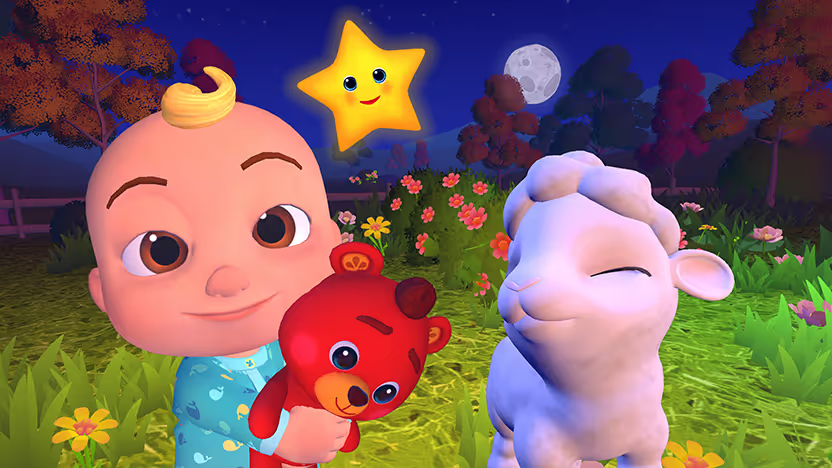
Start with CoComelon: Sing & Play with JJ when little ones want familiar songs like “Baa Baa Black Sheep” that invite clapping, dancing, and simple choices. As they grow, you can shift to Song Quiz for music trivia across decades and Karaoke for scored sing-alongs that reward both pitch and lyrics.
Weekend also includes trivia, word, and party titles that keep the fun going:
- Jeopardy! lets players pick categories and answer clue-style questions for points just like in the show.
- Wheel of Fortune focuses on spinning, guessing letters, and solving word puzzles on your TV.
- 20 Questions (on Roku) has the game choose something while players ask yes-or-no questions to figure it out.
- Guess the Emoji (on Roku) shows short emoji strings that hint at words, phrases, or titles for players to decode.
Download the Weekend app (Roku, Samsung, LG, Fire TV) and start a 7-day free trial of the full library. If your family ends up asking for “the singing game” or “the music quiz” every weekend, you can keep the $12.99 monthly TV subscription in your regular rotation.
FAQs
What is the best music game for young kids at home?
The best music game for young kids at home is CoComelon: Sing & Play with JJ on Weekend. I watch preschoolers follow JJ, sing Wheels on the Bus, and stay active with the simple on-screen prompts.
How do I keep music games from becoming endless device use?
You keep music games from becoming endless device use by setting clear limits and choosing games with short rounds. I use CoComelon: Sing & Play with JJ, then switch to Freeze Dance or Rhythm Copycat so we naturally move off the TV.
Are Song Quiz and Karaoke appropriate for kids?
Yes, Song Quiz (Roku, Fire TV, LG, Samsung) and Karaoke (Roku) on Weekend are appropriate for school-age kids with guidance. I pick clean playlists, keep scores light, and frame them as family games we enjoy together.
Do I need any special equipment for Weekend’s music games?
You only need a compatible TV or voice-enabled device plus internet for Weekend’s music games. I run Song Quiz, CoComelon: Sing & Play with JJ, and Karaoke with just the TV remote or phone, without extra mics or consoles.
How can I download the Weekend app on my smart TV?
You download the Weekend app on your smart TV (Roku, LG, Samsung, Fire TV) by opening the TV’s app store and searching for “Weekend.” I then install it, open the app, and start the free trial so my family can try the entire game lineup.








.png)
%20(1).png)
%20(1).png)

Free for 7 days. Cancel anytime.


