

.avif)
.avif)
.avif)
.avif)
Finding the best kids channels on Roku for toddlers isn't as simple as scrolling through the Kids category and picking whatever has the brightest thumbnail.
I've spent months browsing channels with my niece and nephew, both squarely in the 2–4 range, watching what holds their attention versus what just makes noise in the background.
Some channels feel like an extension of the educational shows for kids that actually teach something, while others are little more than an endless autoplay loop dressed up in cartoon colors.
I also leaned on a few Roku apps I already trust for setup tips, since getting a toddler-safe home screen right matters just as much as the channel itself.
By the end of this list, you'll know exactly which channels earn a permanent spot on your toddler's home screen, and which ones you can skip without any guilt.
Which kids channel on Roku should you choose? TL;DR
- PBS Kids is ideal for trusted, ad-light educational content, provided you do not mind a smaller library.
- Noggin makes sense if your toddler already loves Nick Jr. shows, and a small monthly fee is acceptable.
- For free variety with built-in parental controls, try Kidoodle.TV.
- CoComelon is a strong pick if your toddler already loves the songs and you want a free, dedicated channel for sing-along sessions.
- The Roku Channel: Kids & Family offers a convenient free hub when you would rather browse in one place than juggle separate apps.
- BabyTV works especially well for children at the younger end of the 2–4 range who respond to songs and simple visuals.
- Sensical provides reassurance through human-curated, algorithm-free programming.
HappyKids is worth considering for a free channel focused on lullabies, nursery rhymes, and calmer wind-down content.
8 best kids channels on Roku for ages 2–4: At a glance
Note: Pricing correct at the time of writing. Always check pricing and platforms before purchasing.
Why look for kids channels on Roku for ages 2-4?
Toddlers this age don't need a massive content library. They need a small, safe rotation of shows and songs they can watch on repeat without you worrying about what autoplay serves up next.
The Roku Kids category technically has dozens of channels, but most weren't built with a 2-year-old's attention span or a parent's sanity in mind. Some bury kid content behind ads meant for older audiences. Others assume your toddler can navigate a complicated menu alone.
I wanted channels that load fast, keep content age-appropriate by default, and don't require constant hovering with the remote. That's a much shorter list than the app store makes it look.
1. PBS Kids
PBS Kids is the channel I trust most without needing to double-check what's playing. It carries the same educational backbone as shown in this educational songs for kids guide.
What stands out is how little I have to manage once it's on. Episodes of Daniel Tiger's Neighborhood, Sesame Street, and Curious George run back to back without steering toddlers toward unrelated content.
Key features
- Curated library built entirely around early childhood learning
- Simple, toddler-friendly navigation with large icons
- Bonus games alongside video content
Pros
- No mature ads slipping through
- Content stays consistently age-appropriate
- Free to use with no account required for basic viewing
Cons
- Smaller library than paid competitors
- Lacks big licensed characters like Paw Patrol or Bluey
Best for
- Parents who prioritize learning over entertainment value
- Families already using PBS shows as a daily routine
- Anyone who wants zero surprises in what plays next
Pricing
PBS Kids is completely free on Roku, with no subscription or account needed for standard streaming.
2. Noggin
Noggin is the channel I turn to when a toddler specifically asks for characters by name. Peppa Pig, Blue's Clues, and Paw Patrol all live here, which makes it an easy sell for kids who already have favorites.
The library feels close to Paramount+'s kids section, minus the grown-up content mixed in elsewhere. That separation matters when you're handing a toddler the remote.
Key features
- Full-length episodes of major Nick Jr. franchises
- Interactive games tied to popular characters
- Ad-free viewing experience throughout
Pros
- Strong lineup of shows toddlers already recognize
- Ad-free format keeps sessions uninterrupted
- Available through a 30-day free trial before committing
Cons
- Costs $7.99/month after the trial ends
- Overlaps heavily with Paramount+ if you already subscribe there
Best for
- Families who already know their toddler's favorite characters
- Parents who want zero ads at any cost
- Households willing to pay for a smaller, curated library
Pricing
Noggin runs a 30-day free trial, then costs around $7.99/month.
3. Kidoodle.TV
Kidoodle.TV works well when you want variety without paying for it. It licenses content from recognizable names like LEGO, My Little Pony, and Baby Shark, giving toddlers a broader mix than most free channels offer.
I like that it includes actual parental controls, letting you set time limits and content filters to keep the algorithm behaving.
Key features
- Licensed shows and movies from major kids' brands
- Built-in parental control settings
- Content organized by age range
Pros
- Free to use with a wide content mix
- Parental controls give real oversight
- Frequent updates keep the library from feeling stale
Cons
- Ad-supported, so expect occasional interruptions
- Interface feels less polished than paid alternatives
Best for
- Budget-conscious families who still want variety
- Parents who want visible parental control settings
- Toddlers who enjoy licensed characters over original content
Pricing
Kidoodle.TV is free with ads.
4. CoComelon
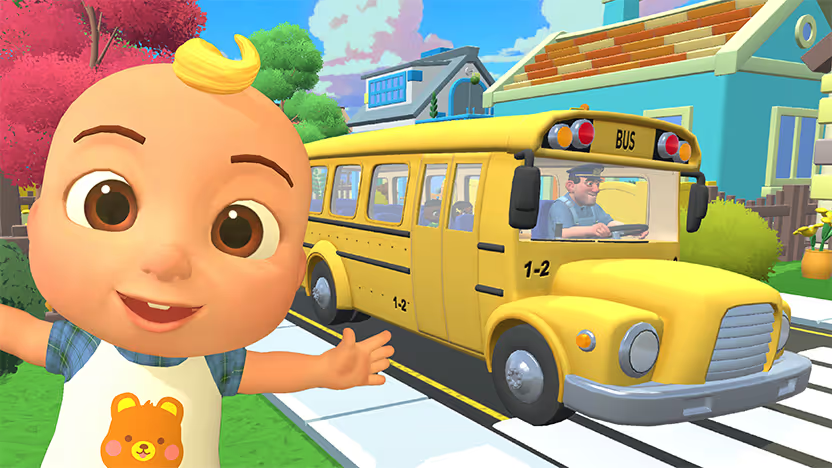
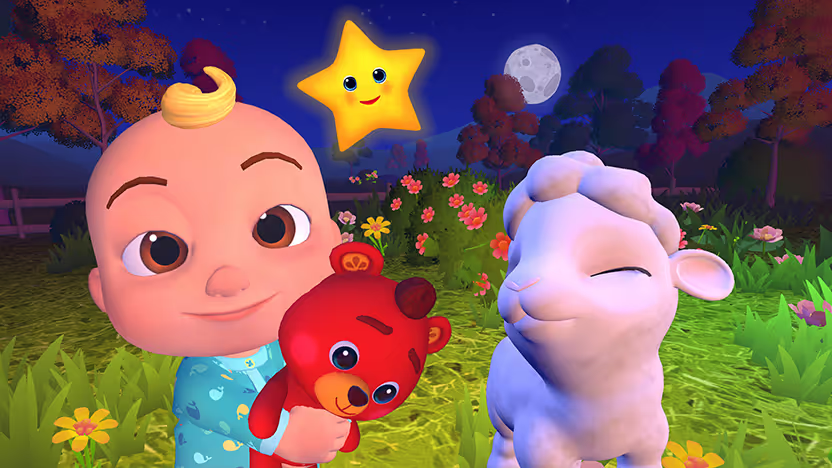
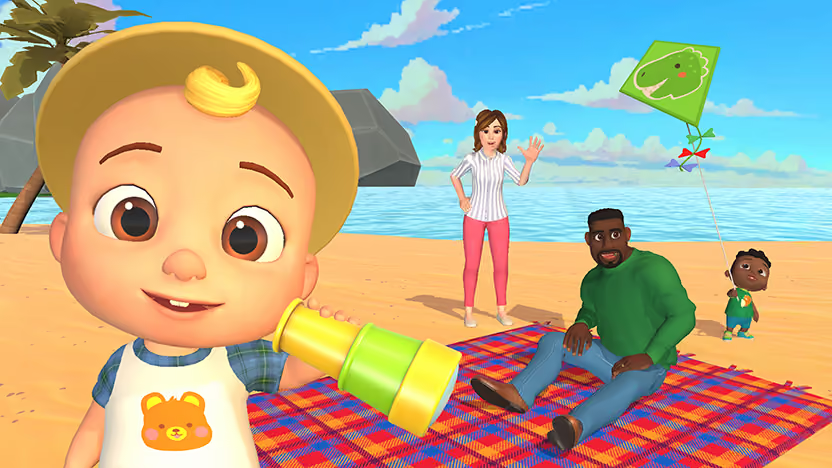
CoComelon has its own dedicated channel on Roku, pulling together the songs and shorts most toddlers already know from YouTube, like "Wheels on the Bus," "Bath Song," and "Yes Yes Vegetables," into one ad-supported streaming app.
What stands out is how quickly it holds attention without needing me to hunt for a specific episode. The catchy, repetitive format means a toddler can jump in anywhere and still follow along.
Key features
- Large library of CoComelon songs and shorts pulled from its YouTube catalog
- Ad-supported free plan with unlimited access to the CoComelon library
- Simple, large-icon navigation built for young viewers
Pros
- Free to install and stream
- Most toddlers already recognize the songs and characters
- Easy to find specific favorites without much searching
Cons
- Ads run periodically since the free plan is ad-supported
- Skews toward music and songs rather than full storylines
Best for
- Toddlers who already gravitate toward CoComelon's songs
- Parents who want a free, single-purpose channel instead of a broader kids' hub
- Quick sing-along sessions rather than long-form shows
Pricing
CoComelon is free on Roku with ads. A separate premium tier may be available depending on the specific CoComelon channel listing, so it's worth checking the current Channel Store page before assuming full ad-free access.
{{cta-cocomelon}}
5. The Roku Channel: Kids & Family
The Roku Channel's Kids & Family section works as a catch-all hub rather than a single destination. It pulls together shows and movies from multiple sources into one free, easy-to-browse spot.
I use this most when I want to introduce something new without committing to a separate app. It's also a decent jumping-off point if you're hunting for shows like CoComelon without installing 5 different channels first.
Key features
- Lots of different content from multiple free sources
- Regularly refreshed movie and show selections
- Built directly into the Roku interface, no separate install needed
Pros
- Zero cost and no extra app required
- Good starting point for discovering new shows
- Familiar Roku layout makes browsing simple
Cons
- Content quality varies more than dedicated kids' channels
- Less curated than PBS Kids or Sensical
Best for
- Parents who want one free hub
- Families still figuring out which specific channels their toddler likes
- Anyone new to setting up a Roku for kids
Pricing
Free, built into every Roku device.
6. BabyTV
BabyTV leans younger than most channels on this list, which makes it a strong fit for the lower end of the 2–4 age range. Short segments, simple visuals, and repetitive songs match what very young toddlers respond to best.
I've found it holds attention in situations where longer shows lose a younger toddler halfway through, like car rides or quick wind-down moments before nap time.
Key features
- Short-format content built for shorter attention spans
- Music and rhyme-heavy programming
- Simple, high-contrast visuals designed for infants and toddlers
Pros
- Great for the youngest end of the age range
- Segments are short enough to fit into small pockets of time
- Calming tone works well for transitions like naps
Cons
- Feels too simple for toddlers aged 4
- Requires a subscription through Prime Video or a standalone app
Best for
- Parents of toddlers between 2 and 3 years old
- Quick, short viewing sessions rather than long shows
- Calm, low-stimulation content before naps or bedtime
Pricing
BabyTV requires a subscription, typically accessed through Prime Video or its standalone app.
7. Sensical
Sensical takes a different approach by skipping algorithms entirely. Every title in its library gets manually reviewed before it's added, which removes the guesswork around what might autoplay next.
For parents burned by "recommended for you" suggestions on other platforms, this manual curation is the whole appeal.
Key features
- Human-reviewed content
- Age-based content tiers, including options for the 2–4 age range
- Free access with no hidden content tiers
Pros
- Removes algorithm-driven surprises completely
- Free to use across all age tiers
- Content feels genuinely vetted
Cons
- Smaller catalog than bigger free platforms
- Less brand recognition, so fewer well-known characters
Best for
- Parents most concerned about unexpected content
- Families who prioritize safety over variety
- Anyone tired of algorithm-driven kids' platforms
Pricing
Sensical is free to use.
8. HappyKids (Baby by HappyKids)
HappyKids, particularly its Baby-focused channel, fills a specific role: calm, musical content for winding down. Think lullabies, nursery rhymes, and gentle sing-alongs rather than full storylines.
I keep this one in the rotation specifically for bedtime, not as a daytime entertainment option. It doesn’t attempt to cover everything, rather focusing on doing one thing well.
Key features
- Nursery rhymes and lullaby-focused programming
- Simple, repetitive songs suited for younger toddlers
- Free access with straightforward navigation
Pros
- Excellent for calming down before naps or bedtime
- Completely free
- Simple format that's easy for toddlers to follow
Cons
- Not built for daytime entertainment or full shows
- Limited variety compared to full kids' channels
Best for
- Bedtime and nap-time routines
- Parents who want music-first content over full episodes
- Younger toddlers who respond well to repetition
Pricing
Free.
How to evaluate kids channels on Roku for ages 2 to 4
Picking the right channel for ages 2 to 4 comes down to 5 factors: ad tolerance, content oversight, attention span, character preference, and budget. Ask yourself these questions before diving in.
Ad tolerance
Decide how much you're willing to pay to avoid ads. Noggin removes them entirely, while Kidoodle.TV and The Roku Channel include occasional interruptions in exchange for staying free.
Content control
Think about how hands-off you want to be. Sensical and PBS Kids require the least oversight since content stays consistently appropriate by default. CoComelon works similarly in practice, since it's a single-purpose channel that never drifts into unrelated content.
Attention span
Match content length to your toddler's age. BabyTV and HappyKids work better for shorter attention spans, while PBS Kids and Noggin suit toddlers ready for full episodes.
Character preference
If your toddler already has favorite characters, Noggin and Kidoodle.TV cover more licensed content. If you're starting fresh, PBS Kids and Sensical focus more on original, education-first programming.
Budget
Free options like PBS Kids, Kidoodle.TV, Sensical, and HappyKids cover most needs. Save paid options like Noggin or BabyTV for specific gaps those free channels don't fill.
Build a toddler-safe home screen
Once you've picked your channels, the setup matters almost as much as the content itself. A toddler-safe Roku home screen means fewer chances for little hands to wander into something they shouldn't.
I usually group kids' channels together on the main screen and remove anything unrelated from easy reach. If your toddler is old enough to want more than passive watching, a few toddler-friendly apps mixed in can round out screen time with something a bit more interactive.
On nights when older siblings want in on the fun, a couple of simple Roku games can keep everyone at the TV together without pulling out a tablet.
Start with PBS Kids and Sensical if you want a fully free, low-maintenance setup. Add Noggin or BabyTV only if your toddler specifically needs what they offer.
Weekend makes family time count
If you've been searching for the best kids channels on Roku and want your family's viewing to feel like a true bonding experience, your Roku can do more than stream another random episode.
With the Weekend app installed, it becomes a place where the whole family finds something to do together, from toddler sing-alongs to trivia nights once the kids are in bed.
Games and content you can spin up on Weekend, all available on Roku:
- Jeopardy! throws the room into clue-and-question mode so random facts finally matter.
- Song Quiz turns song and artist guessing into a fast-paced race that usually ends in singing along.
- Wheel of Fortune lets you call letters, solve word puzzles, and chase that "I knew it" burst when the phrase reveals itself.
- Guess the Emoji turns icon guessing into a loud, fast-paced race for the right answer.
- Karaoke hands the mic around so everyone can take a turn and try to top the last performance.
- 20 Questions pushes your crew to ask smarter yes-or-no questions until someone finally locks in the hidden answer.
Grab the 7-day free trial, add Weekend to your list, and see which game becomes the one your toddler asks for by name.
FAQs
What is the best kids channel on Roku for ages 2–4?
The best kids channel on Roku for ages 2–4 depends on your priorities. I default to PBS Kids for trusted educational content, and I keep CoComelon installed for a mix of learning and entertainment, since the songs teach letters, numbers, and routines while still feeling like fun rather than a lesson.
Are there free kids channels on Roku for toddlers?
Yes, there are several free kids channels on Roku for toddlers. PBS Kids, Kidoodle.TV, The Roku Channel's Kids & Family section, CoComelon, Sensical, and HappyKids are all free.
Is Noggin worth paying for if I already have free kids channels?
Yes, Noggin is worth it mainly if your toddler already loves specific Nick Jr. characters like Paw Patrol or Blue's Clues. If your child leans more toward CoComelon, you likely don't need Noggin at all, since CoComelon is already free on Roku and covers those songs and characters on its own.
What kids channel works best for very young toddlers?
BabyTV, CoComelon, and HappyKids all work best for toddlers on the younger end of the 2–4 age range, thanks to short, repetitive, music-heavy content.
How can I get the Weekend app on my smart TV?
To get the Weekend app on your smart TV, open the Roku Channel Store, search "Weekend Games," and install. Once it's on your home screen, you have an assortment of trivia and party games the whole family will enjoy.







.png)
%20(1).png)
%20(1).png)

Free for 7 days. Cancel anytime.


