

.avif)
.avif)
.avif)
The best LG Smart TV apps turn your screen into a hub for movies, games, music, and genuinely good hangs. I spent nights bouncing between profiles, games, and streaming services on LG webOS, to end up with the following short list of apps worth installing.
Best LG Smart TV apps: At a glance
Note: Pricing changes by region and plan, so I always double‑check inside the LG Content Store on my TV before I commit to anything.
1. Netflix
What it is: Netflix is a streaming app that lets you watch a huge library of movies, shows, and originals in high quality on your LG TV.
Best for: Netflix fits people who want a reliable place to binge shows and films without hopping between multiple services every night.
Netflix acts as the “I’m tired, just play something good” button. I open it, land on the home row, and the “Continue Watching” strip pulls me back into a series in 2 clicks.
Dolby Vision on newer LG OLED sets makes dark, moody scenes look closer to a theater than a living room, which keeps me coming back to Netflix first when I want something cinematic.
Key features
- 4K, HDR, and Dolby Vision support on compatible LG TVs
- Multiple profiles with personalized recommendations for each viewer
- Integration into LG’s home screen and universal search so Netflix shows surface outside the app
2. YouTube
What it is: YouTube is a video app that gives you free access to billions of clips, live streams, and music videos on your LG TV.
Best for: YouTube suits anyone who wants everything from quick tutorials to deep‑dive channels without adding another paid subscription.
YouTube handles every “put something on in the background” request. I might start with a 4K travel video, then end up on a half‑hour review of the exact LG model in my living room because the recommendations follow my phone history.
I like how easy it feels to build a queue from my phone and watch each video appear on the TV like a shared playlist that everyone can see and react to.
Key features
- Free streaming of user‑generated and professional content across every genre
- Casting and queueing from phones and tablets through the YouTube app and built‑in casting
- Support for 4K playback on compatible LG TVs
Pricing
YouTube costs nothing to watch on LG TVs, and YouTube Premium usually lands at around $15–$30/month, depending on region and current offers.
Bottom line
YouTube earns a spot among the best LG Smart TV apps because it can fill any gap in the night, from 5 spare minutes to a full watch session, without asking for your card first.
3. Weekend
What it is: Weekend Games is a gaming app on LG Smart TVs that lets you play Jeopardy!, Wheel of Fortune, Song Quiz, and other party games.
Best for: Weekend fits groups who want game nights where everyone is socially engaged, instead of passing around controllers or learning complicated rules.
Weekend Games lives on my LG TV as the “people are here, let’s do something fun” button. Someone suggests Jeopardy!, I launch Weekend, and within a minute the living room feels like a home version of the studio with friends arguing over who answered first.
Voice controls feel natural on LG, because the remote already listens for commands, so even the least technical friend jumps in without needing me to explain anything.
{{cta-jeopardy}}
Key features
- Officially licensed hits like Jeopardy! and Wheel of Fortune plus originals like Song Quiz that use real music
- Supports social gameplay built around LG’s mic‑enabled remotes, so nobody needs a gamepad
- Simple installation from the LG Content Store so it sits alongside Netflix and YouTube on the home screen
Pricing
Weekend offers a 7‑day free trial on LG TVs, then continues as a $12.99 monthly subscription (includes all supported games).
Bottom line
Weekend belongs in the top tier of best LG Smart TV apps because it turns the TV from a passive screen into a game-show stage where every voice in the room matters.
{{cta-fortune}}
4. LG Channels
What it is: LG Channels is a built‑in app that streams free, ad‑supported live TV and on‑demand content on LG Smart TVs.
Best for: LG Channels suits viewers who still like flipping through live channels and want a cable‑style experience without paying for cable.
LG Channels plays the role of “regular TV.” I open it when I want news running while I cook, background reality shows, or older movies that feel good to half‑watch.
The guide layout looks like classic cable, so visitors understand it instantly, and I never had to sign in or download anything because it ships with webOS.
Key features
- Access to hundreds of free live channels and thousands of on‑demand titles via LG Channels and Channels Plus
- Integrated electronic program guide that looks and feels like a cable grid
- One‑remote experience inside LG’s core interface, with no extra hardware
Pricing
LG Channels comes bundled with compatible LG Smart TVs, so you pay zero subscription costs to use it and only need an internet connection.
Bottom line
LG Channels earns a permanent tile on my LG home screen because it feels like getting a free mini‑cable package just for owning the TV.
5. Xbox app (cloud gaming)
What it is: The Xbox app on LG Smart TVs is a cloud gaming app that streams Xbox games straight to your TV without a physical console.
Best for: The app fits players who want Game Pass titles on the big screen using only a controller and a solid internet connection.
The Xbox app becomes the answer when I feel done with scrolling and ready to play something real. I open the app, select a Game Pass title, and watch the TV slide into gaming mode while the stream spins up from the cloud.
Co‑op nights feel surprisingly close to using a console, except the media cabinet stays empty and the only noise in the room comes from the game itself.
Key features
- Cloud streaming of hundreds of games available through Xbox Game Pass Ultimate
- Direct access from LG’s Gaming Portal on supported models
- Support for Bluetooth and USB controllers that many players already own
Pricing
The Xbox app itself is free to install on LG TVs, while Xbox Game Pass Ultimate typically costs $20–$25/month, depending on region and deals.
Bottom line
The Xbox app sits firmly in my list of best LG Smart TV apps because it turns the TV into a convincing stand‑in for a dedicated console without adding a single extra box.
6. Spotify
What it is: Spotify is a music and podcast app that plays your playlists and shows through your LG TV speakers or connected soundbar.
Best for: Spotify suits people who want the TV to double as the main sound system for parties, deep‑focus sessions, or slow weekend mornings.
Spotify starts working before anyone asks for a remote. I send a playlist from my phone, let the album art sit on screen like a rotating gallery, and the soundbar turns the room into a listening space.
Volume and track changes happen from the kitchen or the balcony, because Spotify Connect treats the TV like another speaker that I can control from my phone.
Key features
- Full catalog of music and podcasts available on LG’s native Spotify app
- Spotify Connect control from phones, tablets, and computers so you rarely touch the TV remote
- Large on‑screen artwork and track details that work perfectly during gatherings
Pricing
Spotify’s free tier works on LG TVs with ads. Premium tiers in the U.S. generally sit around $13/month for Individual, with higher pricing for Duo and Family after the recent 2026 increases.
Bottom line
Spotify earns its place among the best LG Smart TV apps because it upgrades the TV from a pure video device to the center of the room’s sound.
7. GeForce NOW and LG’s cloud gaming hub
What it is: GeForce NOW and LG’s cloud gaming hub are services that stream PC‑style games from the cloud to your LG TV.
Best for: These options fit players who want PC‑level games in the living room without dragging a desktop or gaming laptop over to the TV.
The cloud gaming hub feels like a personal arcade. I test new racers, action games, or indies from the couch and skip massive downloads, because everything streams from remote hardware instead of my own rig.
LG’s gaming features, like low‑latency modes and higher-refresh-rate support on newer sets, keep controls feeling surprisingly responsive when the connection behaves.
Key features
- Central hub on LG TVs that surfaces cloud gaming options, including GeForce NOW
- Support for standard controllers that connect via Bluetooth or USB
- Integration with LG’s Gaming Portal so games sit in the same place as the Xbox app and other gaming shortcuts
Pricing
The LG gaming hub costs nothing to open, and GeForce NOW offers a free tier with session limits plus paid memberships with priority access and higher-quality streams, priced differently by region.
Bottom line
GeForce NOW and LG’s cloud gaming hub deserve a slot among the best LG Smart TV apps because they turn the TV into a low‑friction PC gaming surface that you can fire up in seconds.
How I judge the best LG Smart TV apps
Does it earn a permanent spot on my home row?
Netflix and YouTube cover my “sit and watch” time, Spotify covers sound, and Weekend Games turns the TV into a game table. Any app that cannot claim a clear job in that mix usually gets unpinned within a month.
How fast can we go from icon to fun?
LG webOS already keeps your favorite apps 1 click away, so I cut anything that still drags me through logins, updates, and menus. Weekend Games, Netflix, and YouTube all pass because I can open them and be actually watching or playing in under a minute.
Does it work for a whole house?
Solo apps are fine, but the TV sits in front of a group most nights. Spotify and YouTube scale well because anyone can throw in a song or video, while Weekend leans into that even harder by letting everyone shout answers instead of passing a controller around.
Is the price worth a full year, not just a month?
Streaming and music subs look cheap month to month until you realize how many you stacked.
I lean on free options like LG Channels, YouTube, and cloud‑gaming free tiers, then keep paid slots for the apps that actually define my nights, like Weekend Games, Netflix, Spotify, and Xbox Game Pass.
Weekend turns your LG TV into the main event
Weekend speaks up the moment your LG TV turns on. Some apps want you to binge, some want you to listen, but Weekend wants you to play with the best LG Smart TV apps.
Tap into the Weekend Games app and experience a game night like no other. Just install the app, use your TV remote as the mic, and start playing. Gather your friends, family, co‑workers, or even frenemies and engage in lighthearted competition for bragging rights.
With the Weekend Games app on your TV, you can:
- Fire up Wit’s End and dive into chaos and fun adventures with a story-driven RPG that the whole room steers with their voices.
- Jump into Song Quiz and race to name songs and artists from short clips across decades and genres.
- Play Jeopardy! and finally settle who actually knows the most random facts.
- Spin Wheel of Fortune and chase word puzzles while the room calls out letters.
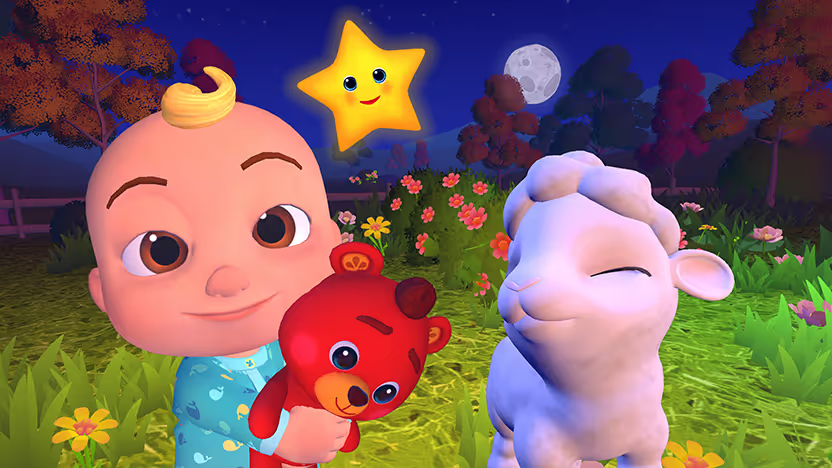
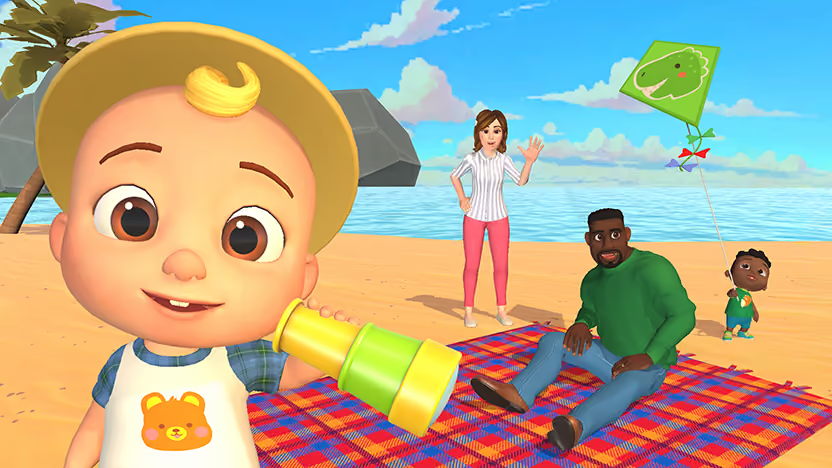
- Launch CoComelon: Sing & Play with JJ and let kids sing along, move, and play through guided activities on the big screen.
Start your 7‑day free trial with our entire gaming library today. Once our app sits on your home bar, your LG stops being just a screen and starts feeling like the place the night actually happens.
FAQs
What are the best LG Smart TV apps to start with?
The best LG Smart TV apps to install first are Netflix and YouTube for watching, LG Channels for free live TV, Spotify for music, Weekend Games for high-energy game nights, and the Xbox app or GeForce NOW if you care about big-screen gaming.
What is Weekend Games on LG TV?
Weekend Games is a competitive party app on LG Smart TVs that turns games like Wit’s End, Song Quiz, Jeopardy!, Wheel of Fortune, and CoComelon: Sing & Play with JJ into big-screen, shout-at-the-TV showdowns.
How do I install the Weekend Games app on my LG TV?
You install the Weekend Games app the same way you install any other app. Open the LG Content Store, search “Weekend Games,” select the app, hit Install, and start the 7-day free trial from your couch.
Can I play Weekend Games with kids on my LG TV?
Yes, Weekend Games includes kid-friendly titles like CoComelon: Sing & Play with JJ, which turns the TV into a sing-along and play-along space that younger players can follow easily. I keep it next to Song Quiz and Jeopardy! so the same LG setup handles both kid time and late-night bragging rights.
Does Weekend Games work alongside other best LG Smart TV apps?
Yes, Weekend Games sits on your LG home screen next to your other best LG Smart TV apps like Netflix, YouTube, LG Channels, Spotify, and your cloud gaming apps, so you can flip from watching to competing in just a few clicks.










%20(1).png)
.png)
.png)

Free for 7 days. Cancel anytime.


